

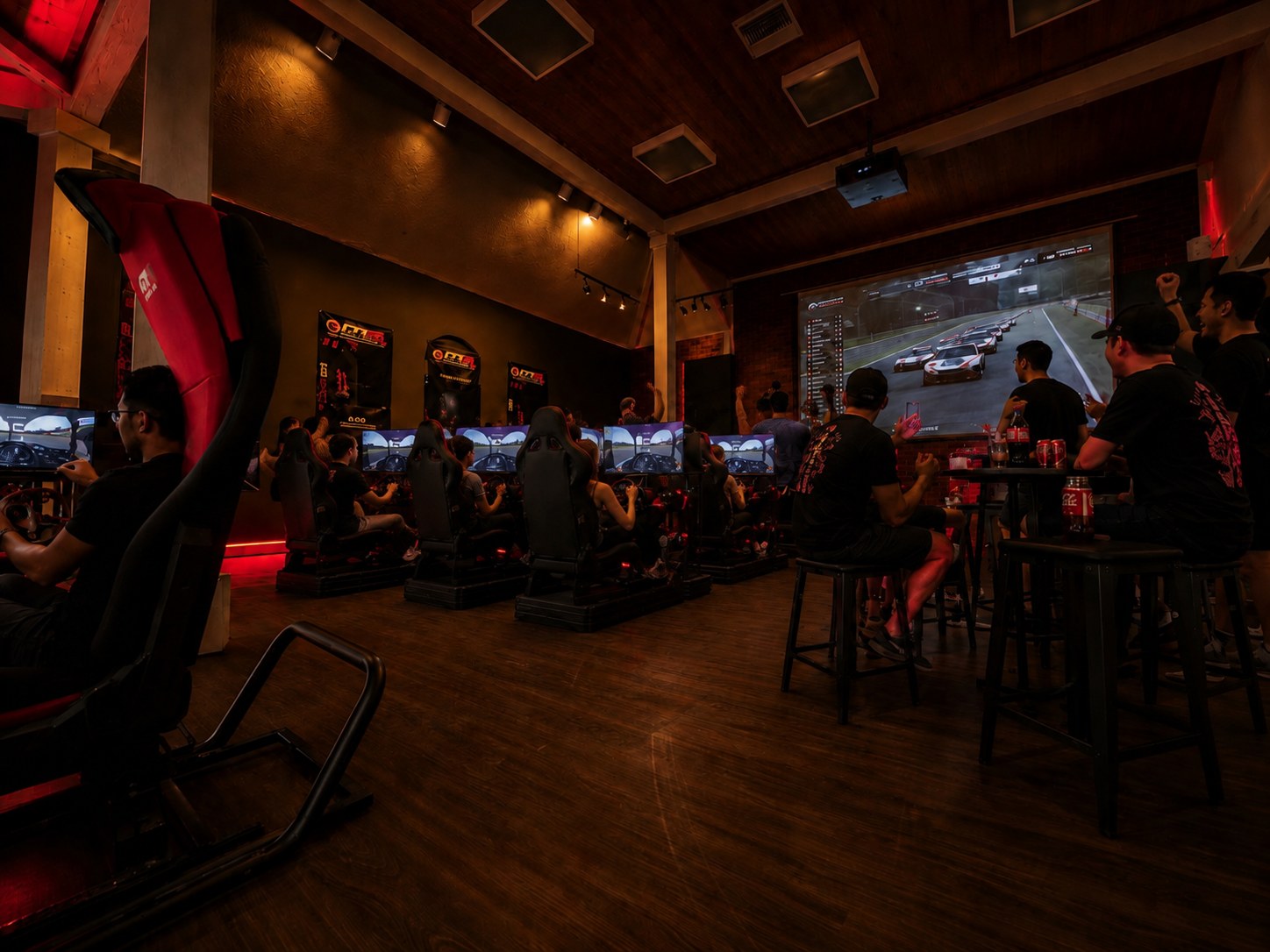
A missed braking point at Monza feels very different when your frame rate tanks right as the field compresses into Turn 1. That is why choosing the best gaming PC for sim racing is not the same as buying a generic gaming desktop. Sim racing puts unusual pressure on a system, especially when you move beyond a single monitor and start running triple screens, VR, high-detail tracks, telemetry apps, and direct drive hardware in a serious home setup.
A fast PC does more than push pretty graphics. It protects consistency. It helps force feedback feel more connected, keeps motion and visual timing believable, and gives you the confidence to run demanding sims without dialing everything down until the experience feels flat. If your goal is ultimate realism, the PC has to match the ambition of the rest of your rig.
What makes the best gaming PC for sim racing different
Most games are forgiving. Sim racing usually is not. Titles like iRacing, Assetto Corsa Competizione, Automobilista 2, rFactor 2, and Le Mans Ultimate can all stress hardware in different ways. Some lean harder on CPU performance, some punish the GPU, and some become much tougher to run once weather, traffic, AI fields, or VR enter the picture.
That means the best gaming PC for sim racing is the one built around your actual use case, not just a flashy spec sheet. A system for a 1080p single monitor can be dramatically different from one designed for triple 1440p displays or a premium VR headset. Buyers often overspend in the wrong place, then wonder why performance still feels compromised.
The first decision is resolution and display mode. If you are racing on a single 27-inch monitor at 1080p or 1440p, you do not need the same graphics horsepower as someone pushing three panels at high refresh rates. Triple screens multiply workload fast. VR can be even more demanding because you are chasing both visual quality and low-latency responsiveness. That is where PC quality stops being a luxury and starts becoming part of the simulator itself.
CPU matters more than many buyers expect
For sim racing, the processor is not just background hardware. It has a direct effect on how stable your experience feels, especially in crowded races and physics-heavy sims. A strong CPU helps when the game is calculating AI, tire models, vehicle behavior, trackside detail, and background processes at once.
If you mainly race online with full grids, run overlays, stream, or use race management tools in the background, CPU headroom matters. High clock speeds and strong single-core performance tend to matter more than simply chasing the biggest core count on paper. You still want modern multi-core capability, but sim racers benefit most when the processor can stay sharp under real-time load.
For many enthusiasts, the sweet spot is an upper-midrange to high-end modern gaming CPU. Entry-level processors can work for lighter setups, but they age quickly once you add triples, VR, or more advanced sim titles. If you are building a cockpit meant to last through hardware upgrades, the CPU should not be the weak link.
GPU is where immersion gets expensive
The graphics card is the most obvious performance lever, and it is often the most expensive one. It is also the component most likely to separate a decent setup from a true next-level sim racing system. If your target is smooth performance at high settings on a single 1440p display, a strong midrange GPU can do the job. If you want triple 1440p, ultrawide at high refresh rates, or VR with serious visual fidelity, you are in premium GPU territory.
This is where buyers need to be honest. Many people say they only need a basic setup, then quickly add a better wheelbase, load cell pedals, a cockpit, monitor mounts, and eventually triples or VR. If that path sounds familiar, buying too little GPU now usually costs more later.
Video memory matters too. Some modern sims and track combinations can get hungry, especially with high-resolution textures and multi-display configurations. A card with more VRAM offers breathing room and better long-term value. It may not transform every benchmark, but it often helps the system feel less cornered as your setup becomes more ambitious.
RAM, storage, and cooling are not side notes
Sim racers sometimes fixate on CPU and GPU and treat everything else like filler. That is a mistake. RAM affects smoothness when you are multitasking with telemetry, voice chat, wheel software, button box software, streaming tools, and browser tabs open. For a serious sim racing PC, 32GB is a smart target. You can get by with 16GB in some scenarios, but it is no longer the confident recommendation for a premium build.
Storage is simple. Use NVMe SSDs. Fast loading is not just convenient when you are jumping between cars and tracks. It makes the whole machine feel sharper. A 1TB drive is a reasonable baseline, but 2TB becomes attractive quickly if you keep multiple sims, replay files, mods, and content libraries installed.
Cooling matters because sim racing sessions tend to run long. Heat buildup can drag down performance and create fan noise that cuts into immersion. A well-cooled system stays more consistent over time, and consistency is the whole point. Whether you choose air or liquid cooling, the goal is stable sustained performance, not spec-sheet theater.
The right PC tier for your sim racing setup
If you are running a single 1080p or 1440p monitor and you want strong performance in most sim titles, a midrange gaming PC is often enough. This kind of build suits committed beginners and value-focused enthusiasts who care more about clean performance than maxed-out visual settings.
Once you step into ultrawide displays, higher refresh targets, or heavier sims, the upper-midrange becomes the real sweet spot. This is where many serious home racers should shop. You get enough CPU and GPU muscle to preserve realism without overpaying for diminishing returns.
For triple monitors, high-detail fields, premium VR headsets, or content creation on top of racing, high-end territory makes sense. That is the class of machine built for no-compromise performance. It costs more, but it aligns with what a premium cockpit, direct drive wheelbase, and serious pedal set are trying to achieve. The track comes to your house only when the PC can keep up with the rest of the ecosystem.
Prebuilt or custom for the best gaming PC for sim racing?
Custom PCs get a lot of attention in enthusiast circles, and for some buyers they are the right move. You can optimize every part, control aesthetics, and tune the budget exactly where you want it. But custom is not automatically better if compatibility, support, and warranty matter more to you than the build process itself.
A quality prebuilt can be the smarter play for sim racers who want confidence out of the box. The key is avoiding generic gaming towers built around marketing shortcuts. You want a system with balanced parts, proper cooling, clean cable management, upgrade potential, and support that understands performance hardware. In a category where one weak component can hold back the whole experience, balance matters more than branding stickers.
That is also why a specialist approach has value. Brands that understand cockpits, wheel compatibility, displays, and immersive hardware tend to spec systems with the simulator in mind, not just mainstream gaming trends. GTR Simulator operates in that lane, where the PC is part of a complete realism-focused build rather than a disconnected desktop purchase.
Common buying mistakes
The most common mistake is buying for the sim you run today instead of the setup you are building toward. Another is chasing the GPU while settling for a weak CPU, limited RAM, or poor cooling. That can produce impressive benchmark numbers in some situations and frustrating inconsistency in others.
A third mistake is ignoring upgrade path. If your motherboard, power supply, and case leave no room to grow, your next leap in performance becomes more expensive than it should be. Sim racing is rarely static. Most enthusiasts upgrade in stages. Your PC should support that progression.
What to prioritize before you buy
Start with your display plan. Single screen, ultrawide, triples, or VR will determine the performance class you need faster than any other decision. Then look at the sims you play most, the frame rates you expect, and whether you stream or multitask while racing.
After that, build around balance. A fast CPU, a GPU matched to your resolution, 32GB of RAM, NVMe storage, and dependable cooling is the formula that keeps showing up in strong sim racing systems. Fancy extras can wait. Stable performance cannot.
The right PC does not just run your simulator. It lets every other part of the system do its job - the wheelbase, the pedals, the displays, the headset, the cockpit, the motion, the atmosphere. Buy with that full picture in mind, and your rig will feel less like a collection of components and more like a machine built to compete.
Share:
Best Sim Racing Steering Wheel Bundle Picks
Best VR Headset for Racing Simulator Use